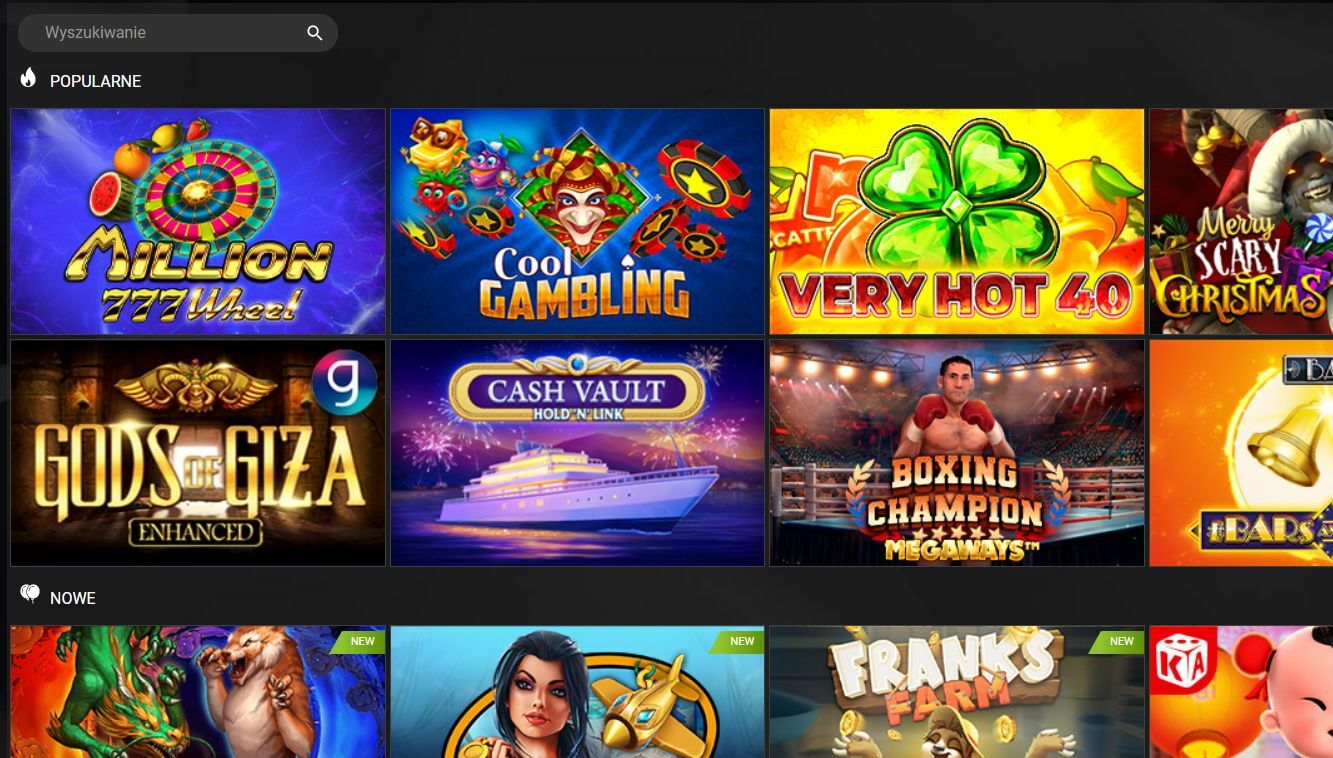
Getting casino games onto your own device provides you with direct access to the full library without using a browser, and it often boosts speed and stability during long sessions https://goodmanscasino.eu/de-de/. At Good Man Casino, the download option is available for desktop and mobile users who choose a self-contained client over the instant-play version. Before you start, it helps to understand how the process works, what hardware and software requirements are needed, and how the downloaded games interact with your account balance and bonus funds. This article covers the practical steps, security checks, and performance factors that determine whether a download is the right choice for your playing style.
Security Checks Before You Get Started
Security starts with checking that the download link comes from the official Good Man Casino domain. The site uses HTTPS with an extended-validation certificate, and the download button becomes visible only after you have logged into your account. If you reach the client through an email link or a third-party site, examine the URL character by character to avoid copycat domains. engere Auswahl The casino also provides SHA-256 checksums for each installer version; you can execute a quick hash comparison on your computer to ensure the file has not been altered during transfer.
After installation, the client itself performs a secondary verification each time it begins. It connects to the casino’s update server, compares its local files against the latest signed versions, and replaces any mismatched components before enabling you to log in. This built-in check prevents older or corrupted builds from linking to live game servers. In addition, the client runs inside a sandboxed environment that confines access to system folders outside the designated game directory, lowering the risk of malware interference with other applications on your device.
Device Compatibility and Performance
Good Man Casino provides explicit hardware recommendations so you can decide whether your current computer or phone fulfills the threshold for smooth gameplay. For desktop users, the client requires at least a dual-core processor, 4 GB of RAM, and a graphics card that works with DirectX 11. On Android devices, the minimum is version 7.0 with 3 GB of RAM; older phones may operate the games but could experience frame drops during complex animations. The casino also releases benchmark results for popular models, showing average frame rates and battery drain during one-hour sessions.
If your device falls slightly below the recommended specifications, you can still get a reduced-feature client that omits high-resolution graphics and background music. This lighter version keeps the same game rules and payout percentages while lowering the graphical load. The switch between full and reduced versions occurs inside the settings menu, so you can try both without reinstalling. Players who frequently switch between devices value the cloud-save feature that maintains game history and balance information synchronized across desktop and mobile clients.
Detailed Installation Process
Begin by accessing your Good Man Casino account through the browser. Head to the “Download” section in the main menu; the site identifies your operating system and displays the correct installer automatically. Click the button and pick a save location. While the file downloads, open your device’s security settings and temporarily permit installations from unknown sources if you are using Android. Once the download finishes, locate the file and execute it. The wizard asks you to accept the end-user license agreement and select an installation directory; most users maintain the default path.
After installation ends, the client launches automatically and requests for your existing username and password. Two-factor authentication stays active, so you will receive a code via SMS or authenticator app before the lobby shows. The first run also starts an automatic update check that fetches any game packs released since the installer was built. You can watch progress in a small status window; most updates finish within two minutes. Once the lobby opens, your real-money balance and any active bonuses show exactly as they did in the browser version.
Common Installation Difficulties and Resolutions
Occasionally the installer reports that required system libraries are missing. On Windows, this usually indicates the Visual C++ Redistributable package needs updating; the client supplies a direct link to Microsoft’s download page. On macOS, Gatekeeper may prevent the app the first time you run it; right-click the icon, pick “Open,” and confirm the exception. If the client fails to connect after installation, check that your firewall permits outbound traffic on ports 443 and 8080. The casino’s support page specifies the exact port numbers and includes a one-click connectivity test that diagnoses the problem within seconds.
Mobile Download Experience and Bandwidth Usage
Gamers who choose tablets or phones can download a dedicated Android APK straight from the Good Man Casino site after activating installation from unknown sources in their device settings. The APK file is roughly 60 MB and sets up in under two minutes on most mid-range devices. Once installed, the app requests only the permissions necessary for gameplay and notifications; it does not access contacts or location data. iOS users currently depend on the browser version because Apple’s App Store policies ban standalone casino clients, but the mobile site is adjusted for Safari and maintains the same account data as the desktop client.
Data consumption changes by game type. Slots with simple animations consume approximately 3 MB per hour, while live-dealer tables can hit 150 MB per hour because of the continuous video feed. The client features a data-saver toggle that lowers video quality and deactivates background music to reduce usage when you are on a limited mobile plan. Session history is stored locally, so you can check spins and bets without an active internet connection, although placing new bets still requires connectivity.
Payment Methods and Payout Procedure
Deposits and withdrawals function the same way regardless of using the browser or the downloaded client. The cashier section lists the same payment options—credit cards, e-wallets, bank transfers, and selected cryptocurrencies—along with the processing times listed by each provider. When you submit a withdrawal, the client presents the current queue length and an estimated completion window according to the chosen method. For card withdrawals, the typical range is one to three business days; e-wallet requests often complete within twenty-four hours once approved.
The client saves your preferred withdrawal method so you avoid re-entering details each time. You can also choose a default amount that appears automatically in the withdrawal form, minimizing the chance of typing errors. All transactions remain protected by the same 128-bit encryption used on the website, and the transaction history screen lets you export records in CSV format for personal bookkeeping. If a withdrawal is delayed beyond the stated window, the client offers a direct support ticket button that pre-fills the transaction ID for faster resolution.
Comprehending the Installation Option at Good Man Casino
Good Man Casino delivers a downloadable client that bundles the most popular slots, table games, and live-dealer titles into a single executable file. The client deploys locally, which means graphics and sound files operate from your hard drive rather than streaming each time you open a game. This cuts down on lag during peak hours and preserves the interface responsive even on slower connections. The download is available in both Windows and macOS versions, and the casino offers a separate Android APK for users who want the same experience on tablets or phones. Each version includes the same game catalogue and the same RTP settings that appear in the instant-play lobby, so you are not picking between two different libraries.
Before you click the download button, the site shows the current file size and the minimum operating-system version required. Typical file sizes go from 80 MB for the core client to 250 MB once all optional game packs are included. The installer checks for available disk space and alerts you if your device falls below the threshold. Once the file finishes downloading, a simple double-click launches the installation wizard, which walks you through choosing an install folder and creating a desktop shortcut. The entire process usually requires under five minutes on a standard broadband connection.
Concluding Remarks Prior to Downloading
Installing the Good Man Casino client is a direct way to obtain quicker loading and a focused interface, provided your device meets the given specifications and you follow the security verification steps. The process maintains every feature present in the browser, from bonus tracking to live-dealer access, while adding local caching and offline history review. Before committing, check the file size against your remaining storage and measure your connection speed with the casino’s built-in benchmark tool. If the numbers match, the download delivers a solid, self-contained environment that keeps your focus on the games rather than on browser tabs or network interruptions.
Game Selection Inside the Downloaded Client
The downloaded client reflects the full catalogue present in the browser, including progressive jackpot slots, video poker variants, and live-dealer tables driven by multiple providers. Each game icon displays its theoretical return-to-player percentage and volatility rating, enabling you to filter by preference before launching. Because the files reside locally, switching between titles happens almost instantly; you do not wait for additional assets to stream. The client also saves the last ten games you played, so returning to a favourite title requires only a single click.
Live-dealer games remain browser-based even after you install the client, because they require a continuous video stream. However, the client includes a dedicated lobby button that opens these tables in an embedded window, keeping your balance and chat functions inside the same interface. This hybrid approach allows you move between downloaded slots and live roulette without logging into separate platforms. The casino updates the game list weekly, and the client notifies you when new titles become available so you can download the additional files with one click.
Bonus Integration and Wagering Tracking
Any welcome bonus or ongoing promotion you activate in the browser carries over automatically once you log into the downloaded client. The wagering tracker appears in the lower-right corner of the lobby and updates in real time as you play. You can expand the tracker to see which games contribute what percentage toward the requirement; for example, slots usually count 100 percent while certain table games count only 10 percent. The client also displays the remaining time on time-limited offers, preventing accidental expiry.
Tracking Bonus Balance Individually
Inside the account menu you can toggle between your real-money balance and any bonus funds still subject to wagering. This separation aids you avoid accidentally using bonus money on games that do not contribute. If you prefer, you can set a personal limit that blocks play on non-contributing games until the bonus is cleared. The setting resets automatically once the wagering requirement reaches zero, returning full access to the entire library.